Ask
Pose a binary, numeric, date, categorical, thresholded, or conditional question with an explicit resolution rule.

search the future
Turn a hard question into cited probabilities you can audit.
A self-hosted forecasting appliance. It fans your question out to parallel research agents, aggregates their findings into an inspectable probability estimate, and keeps every source, attempt, trace, and benchmark score on your own machine.
Don't trust a score — inspect the chain that produced it. Every run keeps its work.
Pose a binary, numeric, date, categorical, thresholded, or conditional question with an explicit resolution rule.
Parallel Smithers agents gather evidence independently, so disagreement stays visible instead of averaged away.
Findings aggregate into a probability or distribution with rationale, caveats, and inline source citations.
Sources, attempts, trace bundles, and benchmark scores persist as inspectable local records you can replay.
One local pipeline: question in, cited probability out, with every intermediate step persisted.
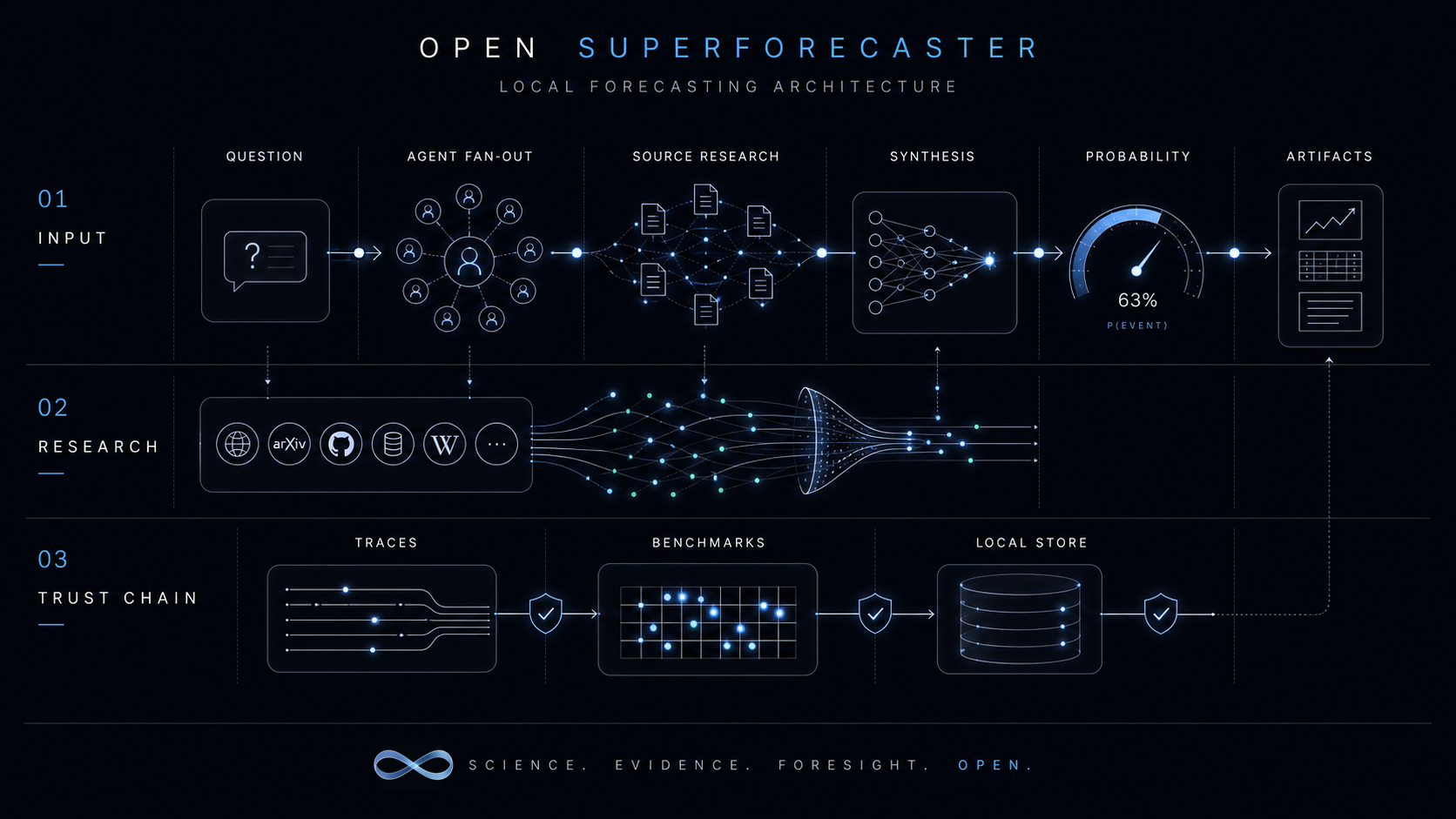
A question fans out to parallel agents that research sources, then synthesis emits a probability and forecast artifacts.
Agents pull from the open web, arXiv, GitHub, reference data, and more — every citation is captured in the source bank.
Traces, benchmark cases, and a local store back the answer so any run can be replayed and re-scored.
The real product surface: compose a question, launch a source-backed run, inspect the record.
Ask a question and watch researchers gather evidence in real time. Every run becomes a local object: the question, its sources, individual attempts, the aggregate answer, artifacts, and the full workflow trace.
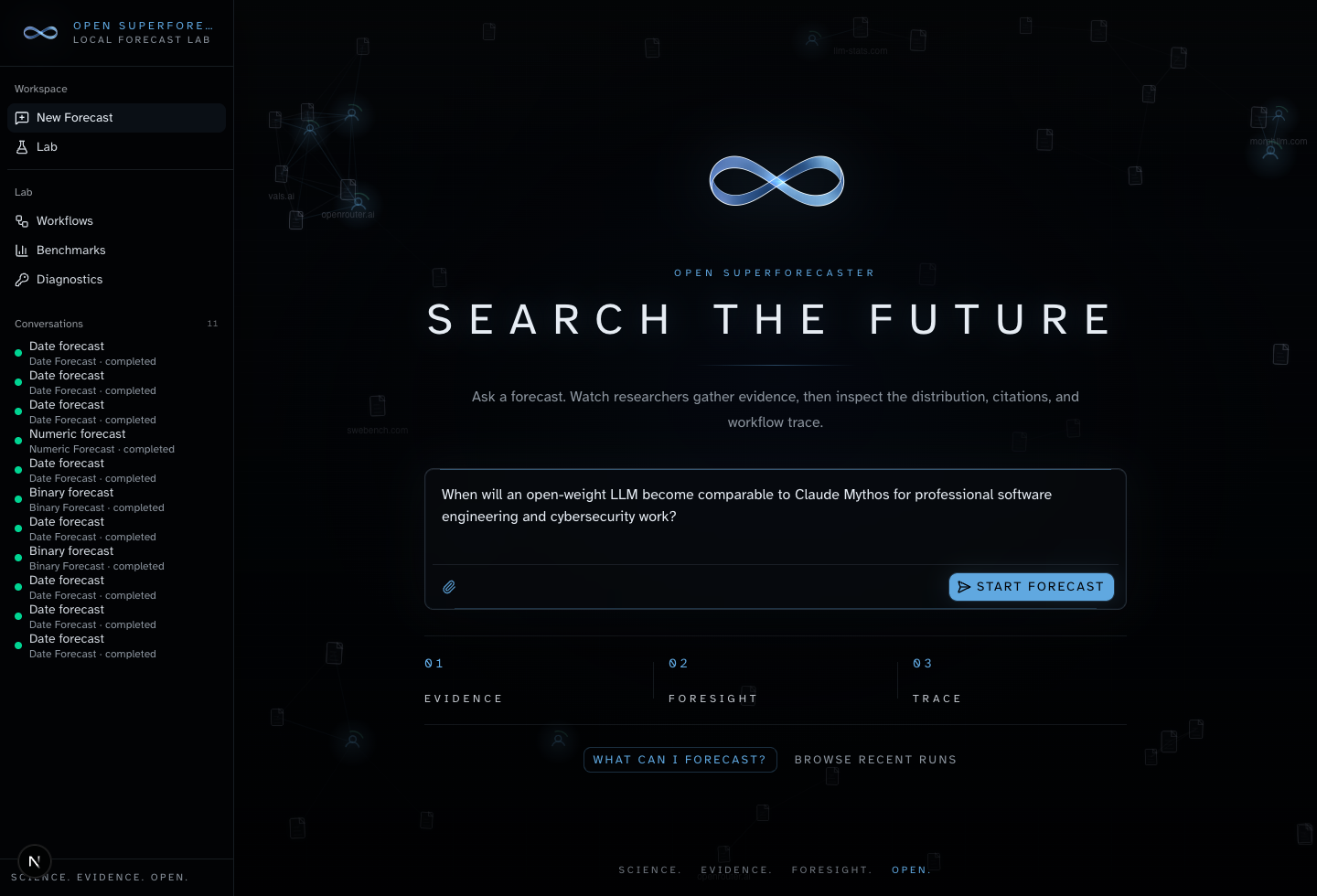
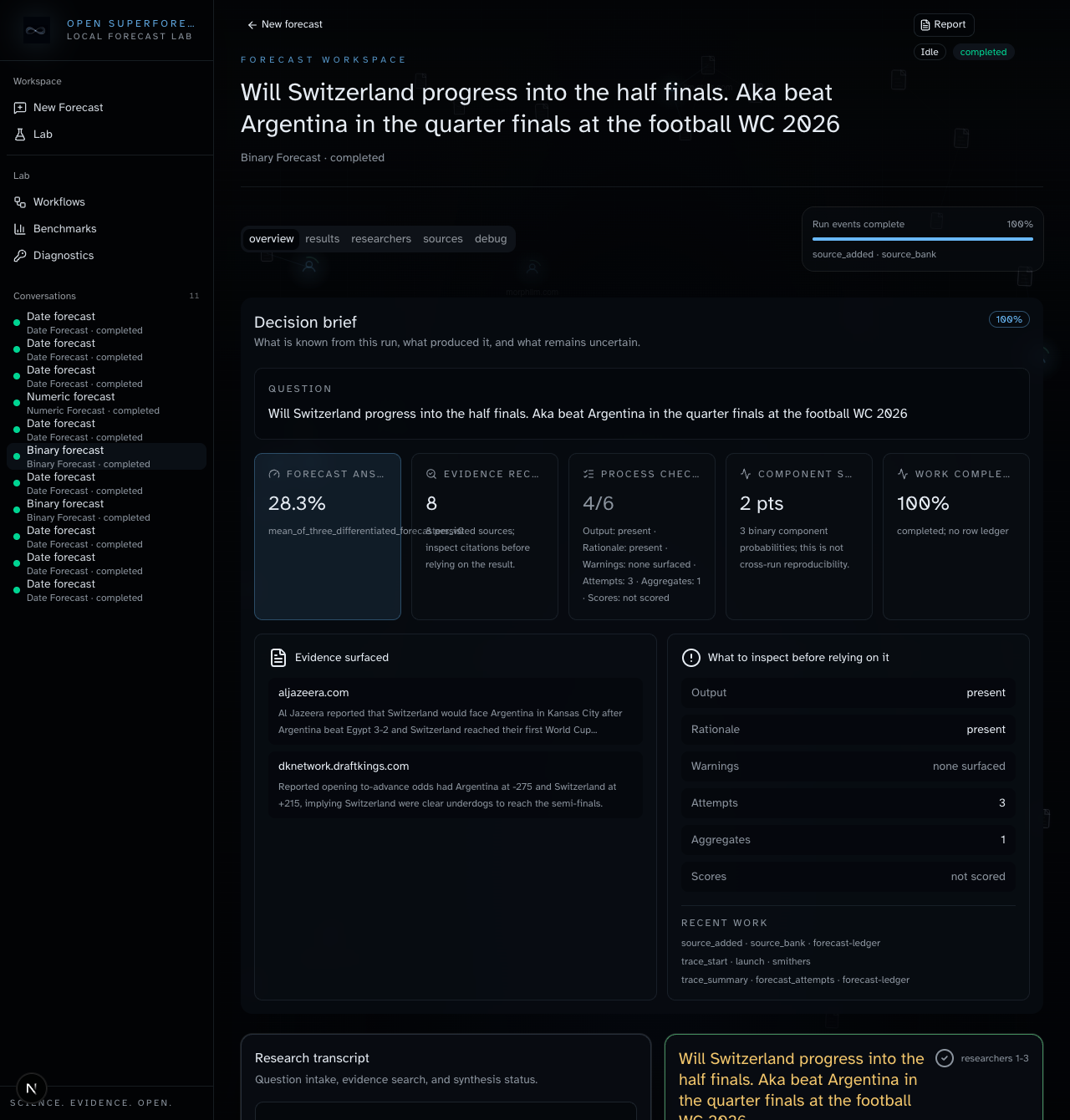
Each run detail page surfaces the emitted probability, the artifact rows behind it, the source bank, and a forecast ledger of attempts, aggregates, and Brier + log scores. Export the trace bundle, CSV, or Parquet for deeper review.
Six typed forecast modes, each with a dedicated renderer instead of a wall of freeform text.
P(event) as an explicit yes/no probability.
A point estimate with a percentile range over a continuous quantity.
When an event resolves, expressed as a distribution over time.
Probabilities across a set of mutually exclusive outcomes.
The odds a tracked metric crosses a specific threshold.
How one event shifts the probability of another.
Forecasting systems fail when their assumptions, evidence, or scoring setup stay hidden. This one makes them boringly visible.
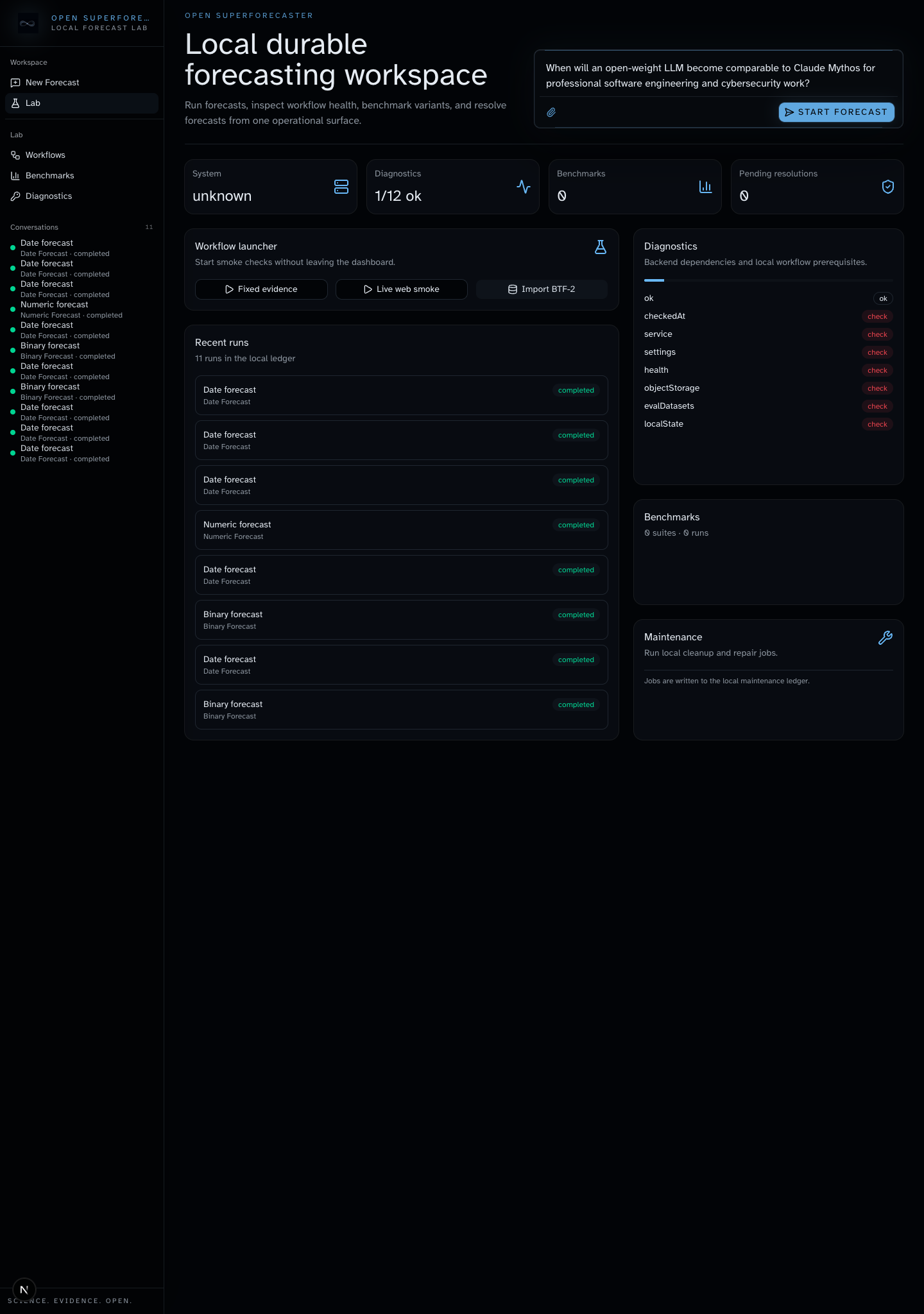
Run benchmark and pastcasting loops against fixed evidence from the same operational lab that tracks diagnostics, recent runs, pending resolutions, and workflow health before a forecast workflow gets trusted.
What exactly was forecast, and how does it resolve?
Which evidence moved the probability, and where did it come from?
Where did individual researchers diverge before synthesis?
Can the run be replayed from prompt to artifact bundle?
Did the workflow survive local benchmark and pastcasting checks?
What should be re-run before anyone trusts this in a real decision?
Open forecasting infrastructure should be inspectable, forkable, and runnable by default.
Postgres, object storage, the web cockpit, and the worker come up from the repo with Docker Compose, so the full trust chain stays local and inspectable.
Agent subscriptions are mounted through one local auth root. Keep Codex as the default, or configure Claude Code, Pi, Kimi, and other Smithers CLI providers from the setup page after their profiles are logged in.
git clone https://github.com/ralfboltshauser/open-superforecaster.git
cd open-superforecaster
cp .env.example .env
mkdir -p data/agent-auth/codex/default
docker compose up --build